Trigr
Desktop text expander with Trill scripting

Why
Previously I used Espanso for text expansion, but I never loved working with config files to set everything up. I wanted something with a proper GUI, something visual where I could see all my triggers, organize them, and tweak settings without reaching for a text editor. Around the same time I got a new laptop, and that felt like the perfect excuse to build my own from scratch.

How
I built Trigr with Tauri using Rust for the backend and React with Tailwind for the frontend. The backend handles all the low-level system stuff such as: global keyboard hooks, tray integration, and trigger expansion at the OS level; while the frontend is a full desktop UI for managing everything.
I spent a lot of time on making the UI feel polished and intentional. Since this is an app you'd keep open in the background and dip into frequently, it needed to be clean, fast, and customizable. Dark theme by default, configurable accent colors, and a layout that puts your triggers front and centre without getting in the way.
Trill
I also built Trill, a custom scripting language that runs inside Trigr. Instead of just replacing static text, triggers can run Trill expressions, string manipulation, date/time formatting, conditionals, variables, you name it. It's what turns Trigr from a simple snippet tool into something genuinely powerful. Users can write reusable expressions, share them across triggers, and even package them up for others to install.
1let status = "success"
2match status {
3  "success" => "green",
4  "warning" => "yellow",
5  "error" => "red",
6  _ => "gray"
7}
Everything in Trill is an expression, let binds a name to a value and returns the body. Pipes thread values through function calls left-to-right:
1[1, 2, 3]
2| filter(x => x > 1)
3| map(x => x * 10)
4| join_list(", ")
Lambdas use arrow syntax and compose naturally with pipes for inline transformations. Pattern matching supports strings, numbers, and nested structures with _ as a catch-all.
Variables
1let name = "Juliette"
2let age = 17
3name
Literals & Operators
142
2"hello"
3true
4nil
51 + 2 * 3
6"Hello, " + "World!"
7not (5 > 10)
If expressions
1let score = 85
2if score > 90 then
3  "A"
4else if score > 80 then
5  "B"
6else
7  "C"
Arrays & Objects
1let nums = [10, 20, 30]
2nums[0]
3
4let user = { name: "Sal", age: 20 }
5user.name
Built-in functions
1upper("hello")
2len("hello")
3split("a,b,c", ",")
4now("%Y-%m-%d")
5round(3.7)
6rand(1, 100)
7sort([3, 1, 2])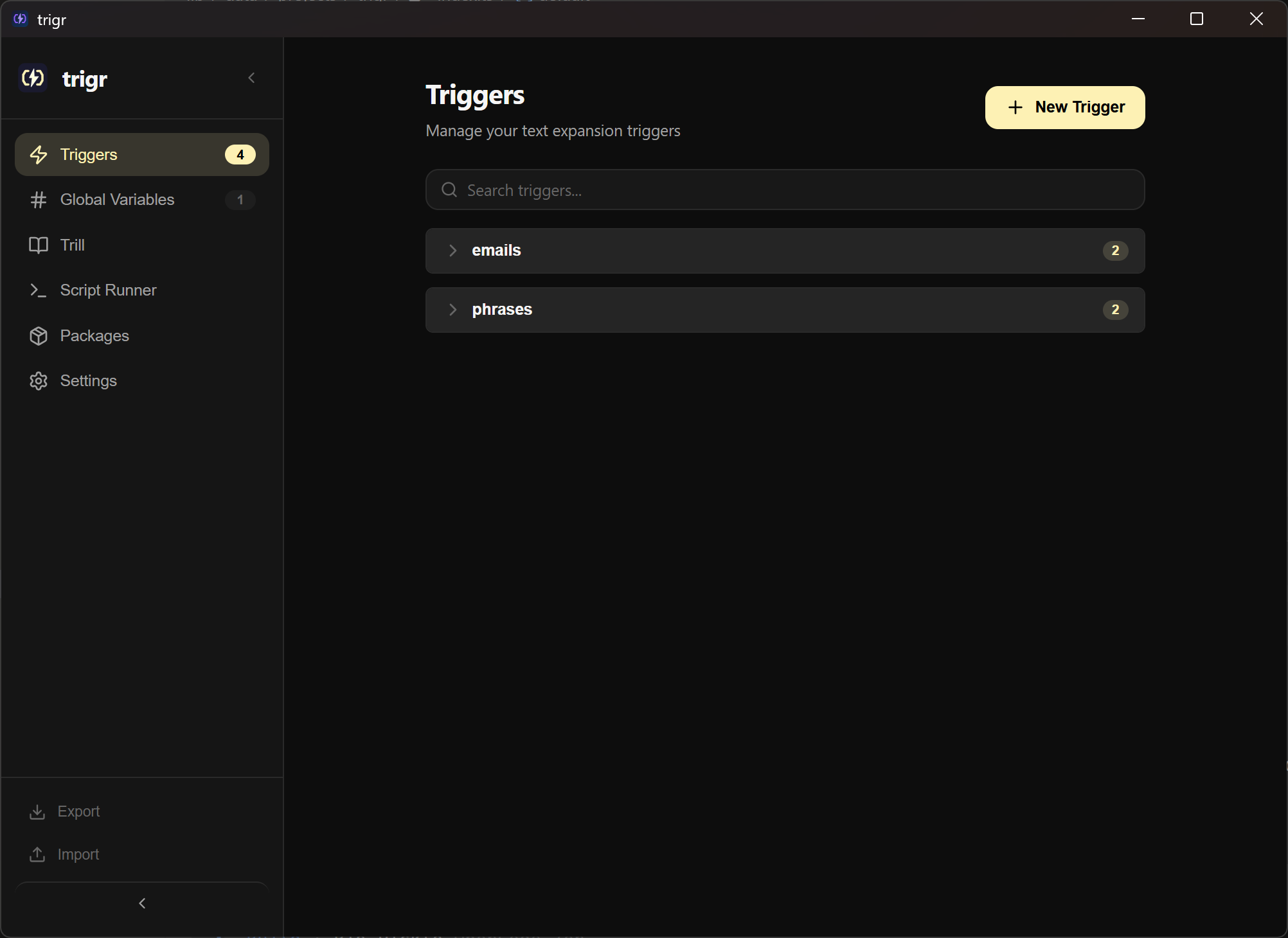
Tech Stack
Tauri v2, Rust, React, Tailwind CSS, SQLite. The Rust backend manages key interception, system tray, and all the cross-platform plumbing. The React frontend talks to it via Tauri's IPC for a native feel with web development speed.